In the app
We have built Devi, our virtual assistant with artificial intelligence, integrated directly inside the app as a chat panel and as a full-screen page.
The AI assistant
Devi, the artificial intelligence assistant of devBooks, answers questions from your company's real data. It works inside the app and on WhatsApp, including with voice messages. You can try it for free.
Updated on
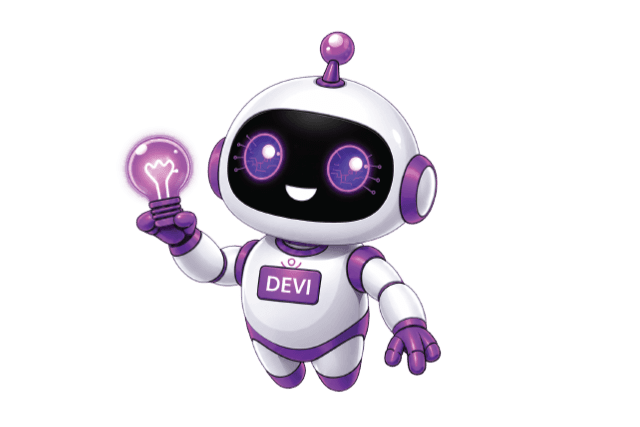
Where it works
The devBooks virtual assistant. Inside the app you open it as a chat panel or full screen, and you have the same assistant on WhatsApp too.
We have built Devi, our virtual assistant with artificial intelligence, integrated directly inside the app as a chat panel and as a full-screen page.
The same assistant also works on WhatsApp: from your phone you ask for a balance or a report without opening the app.
We transcribe WhatsApp voice messages automatically and treat them just like a written request, without you having to type a single letter. So you ask for balances, reports or actions simply by speaking, even when you are on the move or out in the field.
Features
It works with the company and fiscal year you have selected. When a request goes beyond what it can do, it hands the conversation over to a human operator.
You activate WhatsApp in a few steps: we generate a verification code that is valid for 10 minutes, and you link the number either manually or with a ready-made link that opens the chat with the code already in it.

By voice, in the field
Voice messages are transcribed and handled as a written request.
You turn on the assistant and WhatsApp per company and according to each user's permissions.
The system generates a verification code that is valid for 10 minutes.
You link the number manually with the code, or with a ready-made link that opens the WhatsApp conversation with the code already in it.
Privacy
Only the users and companies where it has been turned on can use it. When you log out, the conversation is cleared.
You turn the assistant and WhatsApp on or off by company and according to each user's permissions.
Each verified number is linked to a user and to the selected company, so a question from WhatsApp is answered from that company's data and the relevant fiscal year.
We clear the chat automatically as soon as you log out, even when you log out from another browser tab, so that nothing is left behind on shared computers.
Permissions and security in devBooks Reporting and analytics in devBooks
Questions
How Devi works, on which data and who controls it.
Devi works on WhatsApp just as it does inside the app. You link your number with a verification code that is valid for 10 minutes, manually or with a ready-made link. We transcribe voice messages automatically and treat them as a written request, so you can ask for balances, reports or actions by speaking.
Devi is the AI assistant in devBooks. It works inside the app, as a chat panel or as a full-screen page, and on WhatsApp. It answers questions by reading your company's real data, not general information. You can try it for free.
Each verified number is linked to the user and to the selected company. This way Devi always works on the data of that company and of the relevant fiscal year.
We clear the conversation automatically as soon as you sign out, even when you sign out from another browser tab, so that nothing stays on shared computers.
When a request goes beyond what the assistant can do, we hand the conversation over to a human operator.
You turn the assistant and WhatsApp on or off for each company and according to each user's permissions.
In the demo we ask Devi questions together, in the app and on WhatsApp, including by voice message.
or call or write to